Skip to content
Now on the App Store

Your plan goes where you go.

The step that matters today, a nudge when it's due, and a timer for the work itself. The iPhone app is on the App Store, and the Android beta takes about two minutes to join.

Free · Same account as the web app · Your plan covers every device

Android has no Google Play date yet. Testers get every update first. Not on a phone right now? Open the web app instead, it installs on any screen.

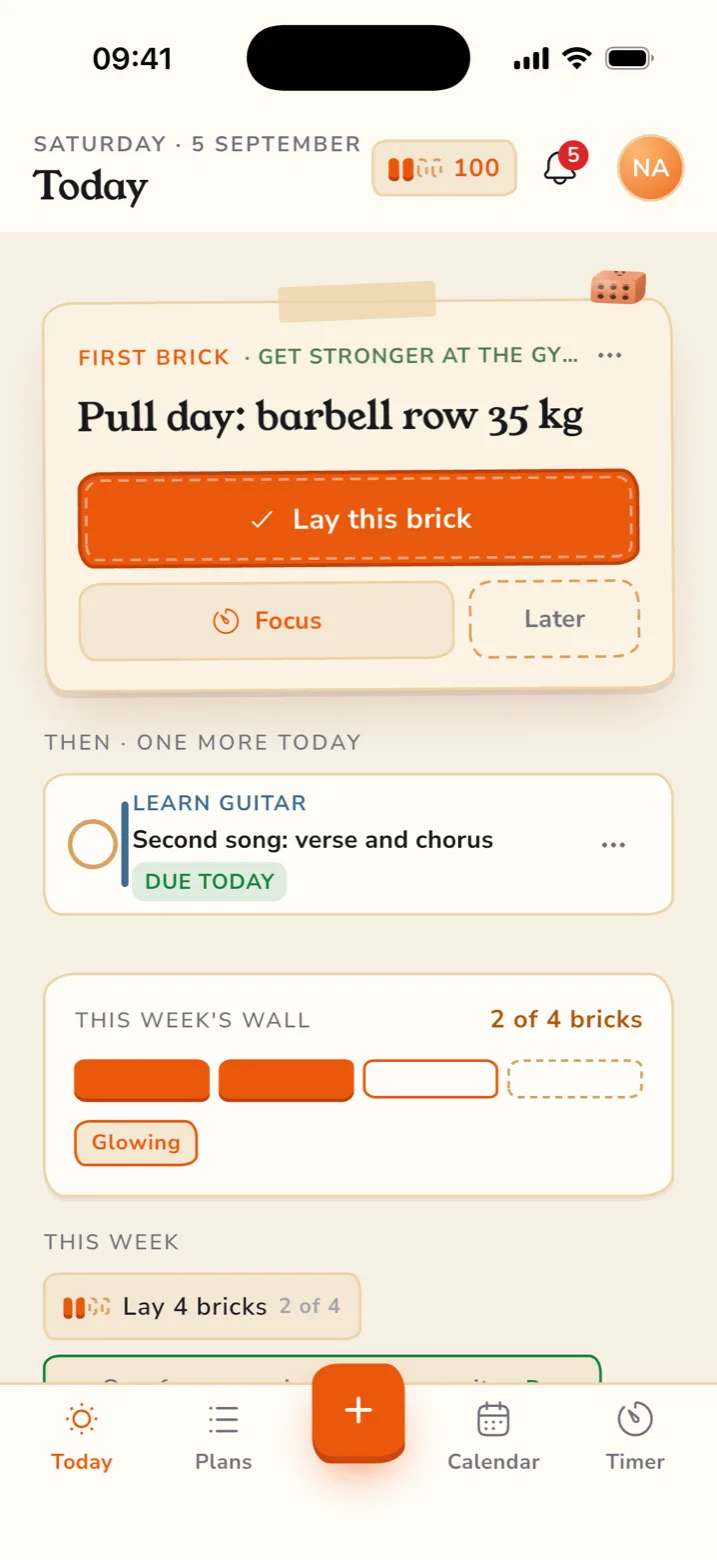
Targela for iPhone: the Today screen with the step that matters and this week's brick wall

Why the app

Everything the web app does, plus the parts only a phone can do.

  • Nudges on time

    A push the moment a step is due

    Reminders that still arrive offline, with Done, Snooze 1 hour and Focus right on the notification.

  • Focus, in your pocket

    A timer that lives on your Lock Screen

    Start a session on the step in front of you. Watch it in the Dynamic Island, start one from Control Center, and see the minutes land in your weekly report.

  • On your home screen

    Today's step, without opening the app

    A widget with your next step and the bricks you've laid this week. Ask Siri "What's my step today", or mark it done from there.

A look inside

Three screens you'll live in.

Real screenshots from the app.

  • Today screen on iPhone: the step that matters and this week's brick wall

    Today. What's due, what slipped, and how far the week has come.

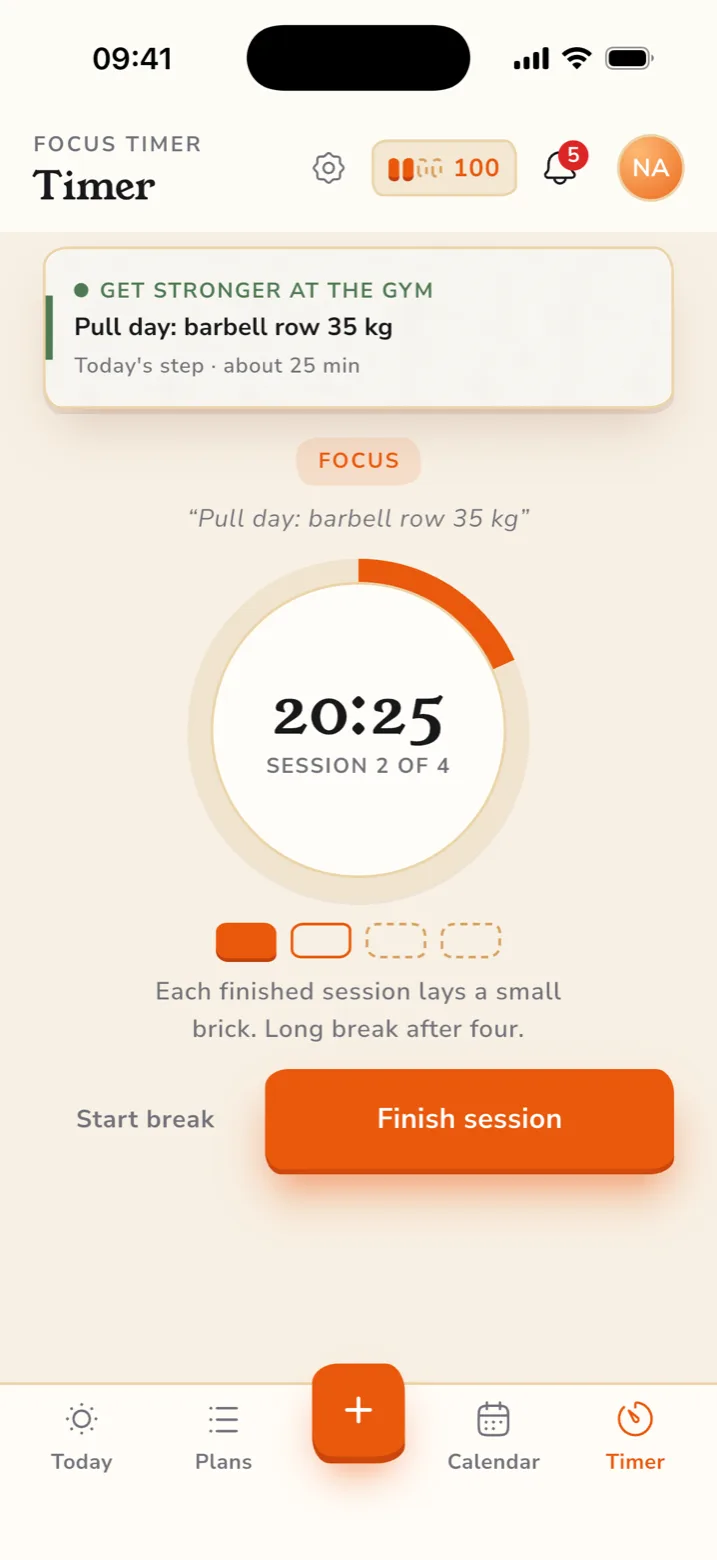
  • Focus timer on iPhone: a 25-minute session counting down on the step in front of you

    Focus. One step, one session, counted toward your week.

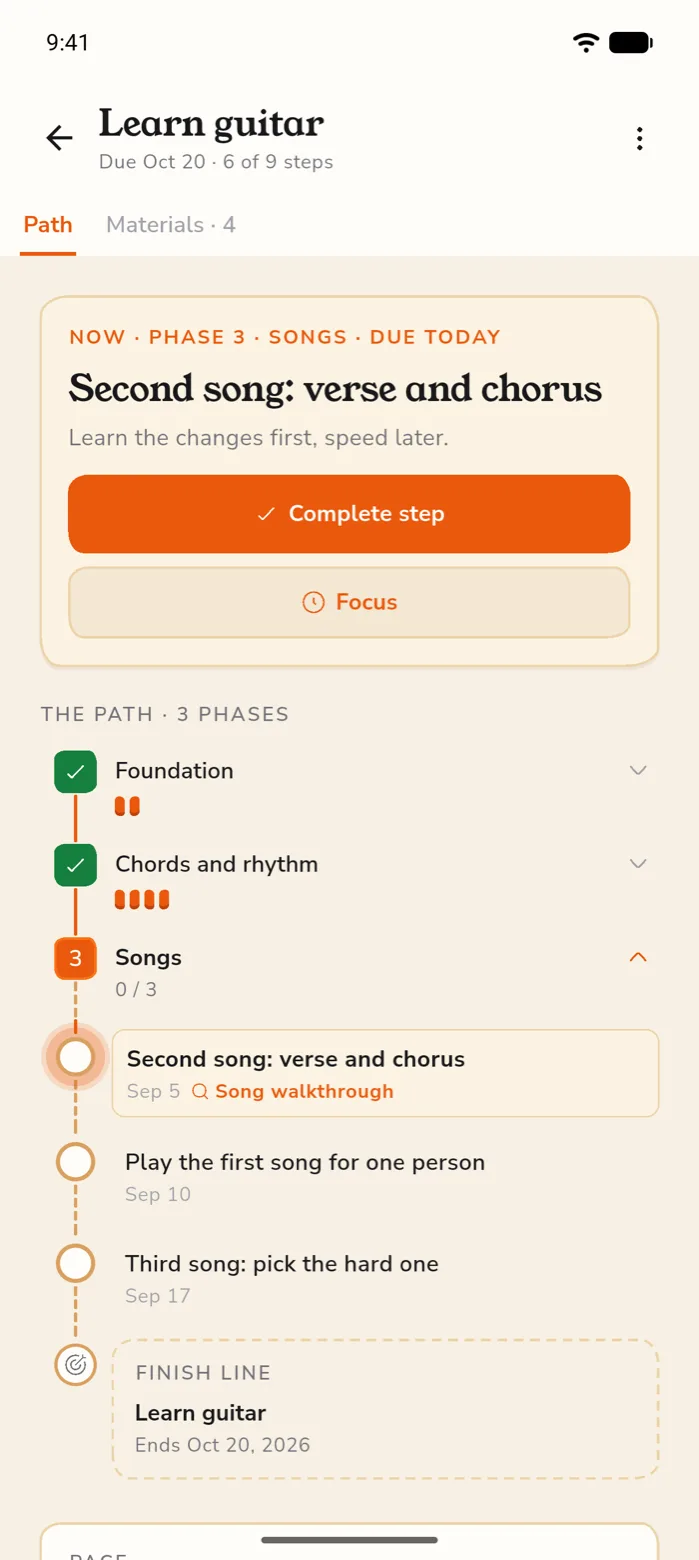
  • A plan on Android: the current step with its phase, and the sessions that repeat each week

    Your plan, on Android. Every step with the score behind it. Editable any time.

Nothing to migrate

Start on one, finish on the other.

One account, one set of plans. Sign in on the phone and everything you built on the web is already there.

  • Sign in with a passkey, Apple, Google or email
  • Plans, steps and progress stay in sync across devices
  • Reminder and language settings carry over
  • The apps cost nothing extra. Your plan covers every platform.

Before you install

What the app asks for.

The short version of what the store listings will say.

  • Notifications, if you want them

    Off until you turn them on, and configurable per reminder type.

  • No tracking across other apps

    Targela doesn't follow you around other apps or websites, and never has.

  • An account, and that's it

    No contacts, no location, no photo library.

  • Your data stays yours

    Export it or delete the account from your profile, on any platform.

How to get it

Pick your phone.

On a computer? The App Store badge opens the listing. The Android beta only installs on the phone itself, so open this page there or scan the code on the beta page.

iPhone

On the App Store, free
  1. Open the App Store. The badge below goes straight to Targela.
  2. Tap Get. It's free and installs like any other app.
  3. Sign in. Use your Targela account, or create one in the app.

Updates arrive through the App Store like any other app.

Download on the App Store

App questions

Before you ask

  • When does the Android app launch?

    The iPhone app is on the App Store now. Android has no Google Play date to promise yet. The beta is the real app, updated often, and you keep it when it launches.

  • Can I get new versions early?

    Yes. Join the beta and new versions reach you through TestFlight or Google Play testing before everyone else. Expect the odd rough edge, and send a screenshot to hello@targela.com when you hit one.

  • Do I need a new account?

    No. Sign in with the account you already use on the web. New here? Create one in the app.

  • How do I remove the app?

    Delete the app. Your account and plans stay exactly as they are on the web.